Multilingual Content and Localization With TYPO3
Creating a multilingual website is easy. What’s complex is setting up translation workflows and content staging to meet your organization’s and users‘ localized needs. TYPO3 CMS comes with a full-service set of content localization features and b13 has years of experience working with a wide variety of global, regional, and multilingual organizations to create localized websites. If you need a custom localization feature, we can build it with TYPO3.
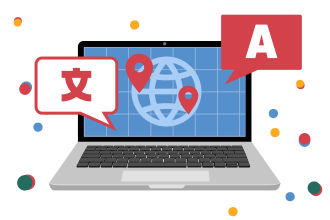

Out Of the Box Localization With TYPO3
When you’re serving customers in different languages, your CMS needs a lot of features to support seamless translations. In TYPO3, most localization functionality comes out of the box: you can configure translations at the page level and per content element, and choose between Multi-Site and Single-Tree translation workflows to match how your organization is structured.
Language packages for TYPO3 labels and extensions are ready to download, translated by the TYPO3 community through the CrowdIn server, and you can choose the right mode of translation and fallbacks for each of your organization’s languages. TYPO3 works across multiple alphabets, character sets, and script directions, and connects to your integrated translation memory system so files can be shared with translators outside of TYPO3. Built-in SEO features—like sitemaps and HTML tags—tell search engines which languages are available for any given page.
Choose the Right Mode of Translation For Your Local Content
Once you’ve set a default language for your web project, you can set up translation modes according to your multilingual needs.

Multi-Site Websites: Operate different countries’ or regions’ websites and translations independently of one another.

Connected mode: The strictest mode—it unifies your Single-Tree website across languages, requiring every element to be available in the default language before it can be translated.

Fallback mode: Set fallback languages for untranslated content, useful for regional variances (for example, using German as a fallback for Swiss German).

Free or Mixed mode: Translate some content but not others—handy for regional promotions or regulatory inclusions.
b13 Has Deep Experience in Complex Localization Projects
Many of us at b13 have contributed to the TYPO3 Core translation codebase, improving the software to meet our clients’ needs. We have deep experience setting up localization and translation workflows for hundreds of projects, and if your use case is unique, we’ll build the right tools for you.
That’s meant adding new languages and translations, creating approval workflows for translations, and adapting content to multilingual regions—including locale-specific landing pages, promotions, and images that reflect a worldwide clientele’s cultural diversity. We’ve implemented connected content across varied character sets and script directions, mirrored a TYPO3 site to a web server in China for higher regional availability, and built country-specific language switchers for sets of multilingual countries. We’ve also set up translation workflows for translators in global field offices, and adapted pricing to currency conversions.

Benni Mack
CTO
Need help localizing your website? Get in touch to set up a translation workflow and reach users across the globe.