Creating Pages the Right Way—With the New TYPO3 V14 Page Creation Wizard

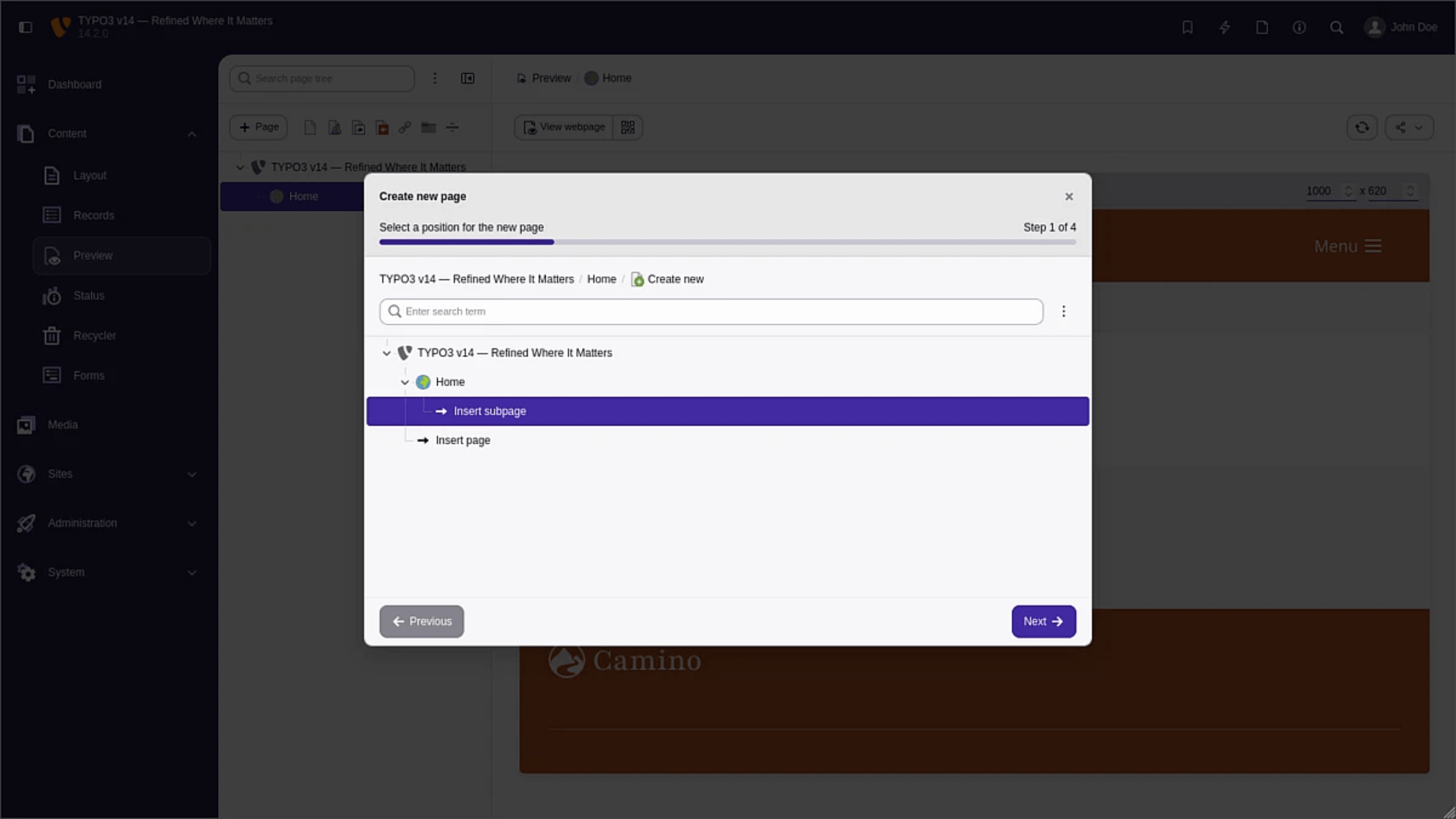
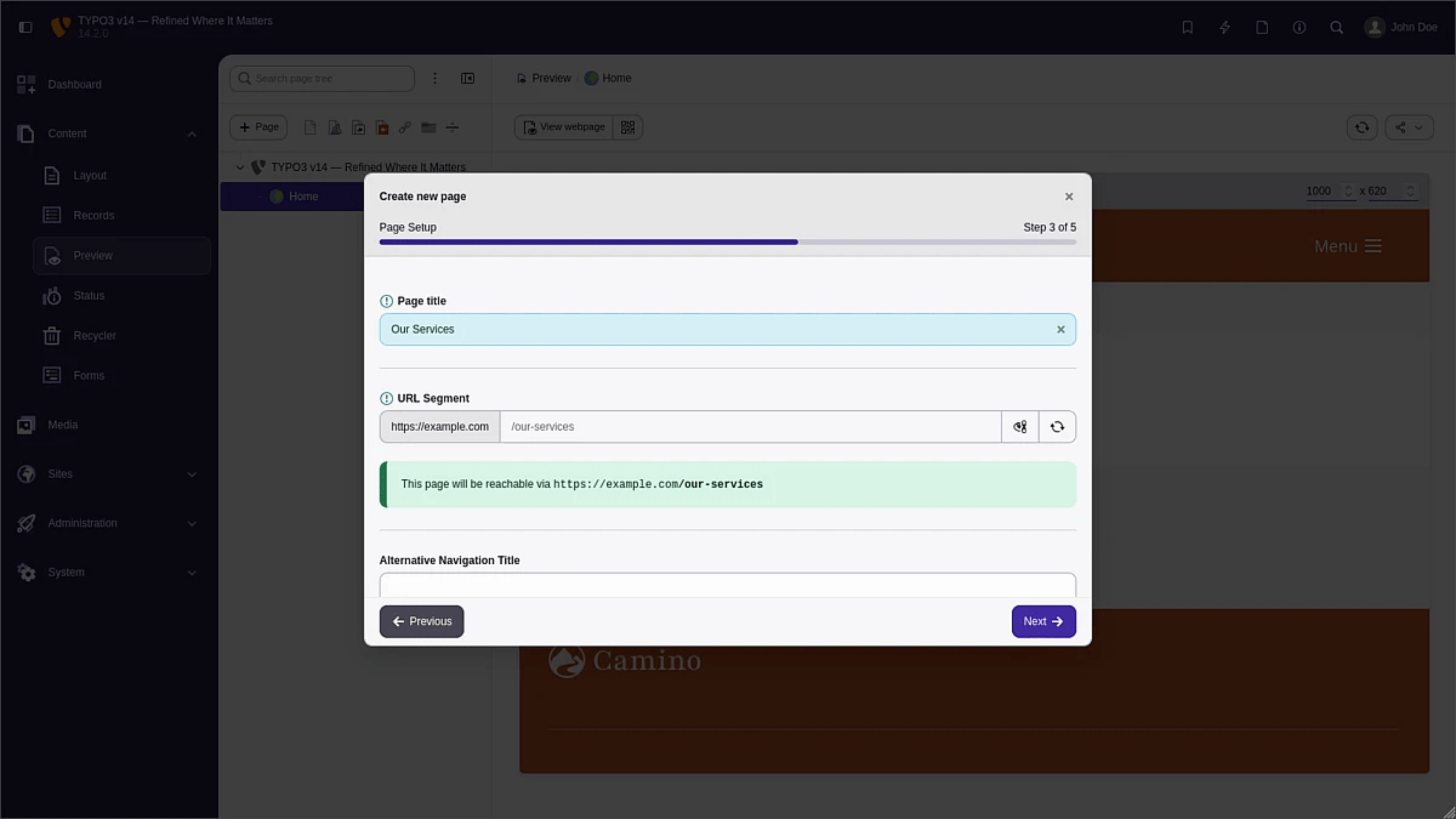
The new Page Creation Wizard in TYPO3 v14 makes page creation more consistent, more reliable, and far less error-prone. It guides users through the process step by step and ensures that required information is collected exactly where it is needed.
With the same simple interface you already know from drag-and-drop creation, the new Wizard offers more tools while providing a thorough guide to functional pages.
At the same time, the interface remains familiar: anyone who has already worked with drag-and-drop page creation will feel at home right away. What is new is the added guidance. Instead of creating pages quickly and filling in missing information later, key decisions and required fields are now handled directly during the creation process. This reduces rework and helps ensure that pages are set up correctly from the start.
Where Drag And Drop Reaches Its Limits
Creating pages via drag and drop in the TYPO3 page tree is quick and convenient. For many standard pages, this works well—especially when their place in the site structure is already clear. The process starts to break down, however, when a page type requires more than just a title and a location.
For example, pages containing links to internal or external resources can be created without a target URL being defined. Because this input is not enforced in drag-and-drop creation, incomplete pages can easily be created—pages that exist in the tree, but do not function as intended.
Issues like these often only become visible later, and fixing them then creates unnecessary extra work.
An Assistant That Thinks Ahead
This is exactly where the Page Creation Wizard comes in. It extends the existing process with guided page creation that structures key decisions and makes required fields visible at an early stage.
This brings several advantages:
Consistency: Page types, permissions, placement, and workflows are aligned to support a uniform content structure.
Control: Required fields are not overlooked, but must be completed before a page can be created.
Accessibility: New editors find it easier to get started, without reducing flexibility for experienced teams.
The Wizard supports page creation from the first decision to the finished structure: from selecting the page type and placing it in the page hierarchy to defining its visibility in the website and menus. This creates a clean starting point without making the CMS unnecessarily complex.
Extensible And Usable On Any Device
The fields that need to be completed depend on the page type involved—including page types added through TYPO3 extensions. The Wizard is designed so that extensions can inject their own required fields directly into the creation process. Additional metadata or type-specific fields therefore appear exactly where they are needed.
This keeps the workflow consistent, even in more complex setups.
At the same time, TYPO3 v14 improves usability across different devices. Because drag and drop is only of limited convenience on mobile devices, a button-based workflow for page creation is now available as well. The Wizard guides users through the key steps regardless of device, creating a consistent and more accessible experience.
Familiar Logic, Better Guidance
The real strength of the Page Creation Wizard is not that it reinvents everything—but that it improves the existing workflow. TYPO3’s core logic remains intact: page type and position in the page tree still come first. What is new is that the process now provides stronger guidance, validation, and safeguards at the points where they matter most.
As a result, the likelihood of creating incomplete or faulty pages drops significantly. This is especially valuable for more complex page types and in setups with many extensions.
A Familiar Path—With Clearer Guardrails
The Page Creation Wizard does not change the page tree, nor does it replace the established ways of working in TYPO3. Instead, it enhances them where they were previously too open-ended. That makes page creation more reliable without making it more cumbersome.
For teams, that means fewer common mistakes, clearer workflows, and a stronger foundation for scalable content processes.
Like other contributions by b13 and the broader redesign of the TYPO3 backend, the Wizard supports a more consistent and reliable content creation experience—and makes TYPO3 noticeably more accessible in day-to-day use.