
What’s New in TYPO3 v13?

TYPO3 v13 Takes the User Experience to a Whole New Level

TYPO3 v13 marks the beginning of a new era of user-friendliness. The version impresses with a modern, fresh, and incredibly high-performance user interface—developed for anyone who wants to edit content efficiently, intuitively, and enjoyably on a daily basis.

Because one thing is certain: working with TYPO3 should be fun—every day!

Laptop displaying a graph with an upward trend and icons representing users, alongside heart symbols, suggesting engagement or popularity metrics.

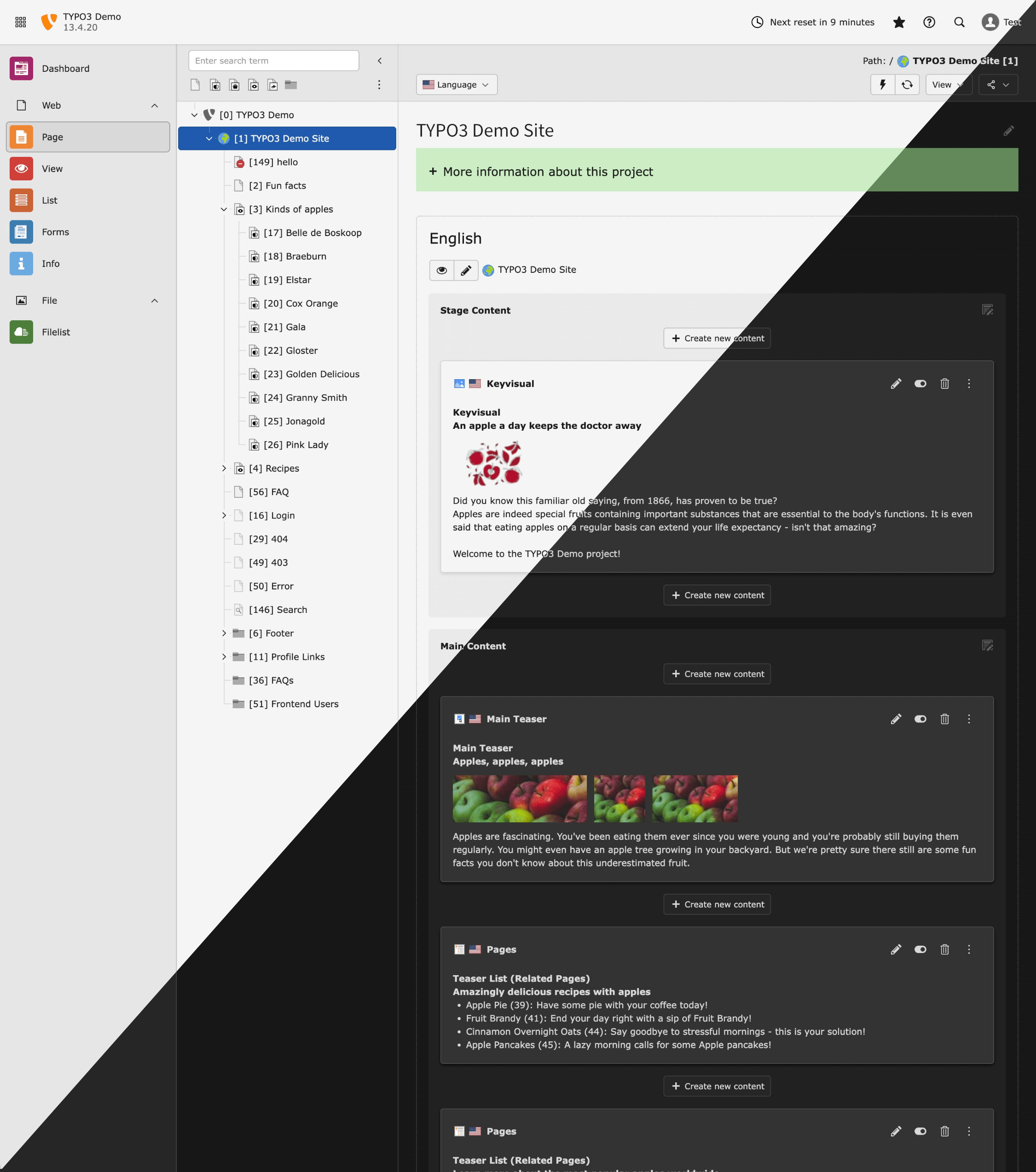
Modern Backend With Light and Dark Mode—as Flexible as Your Editors

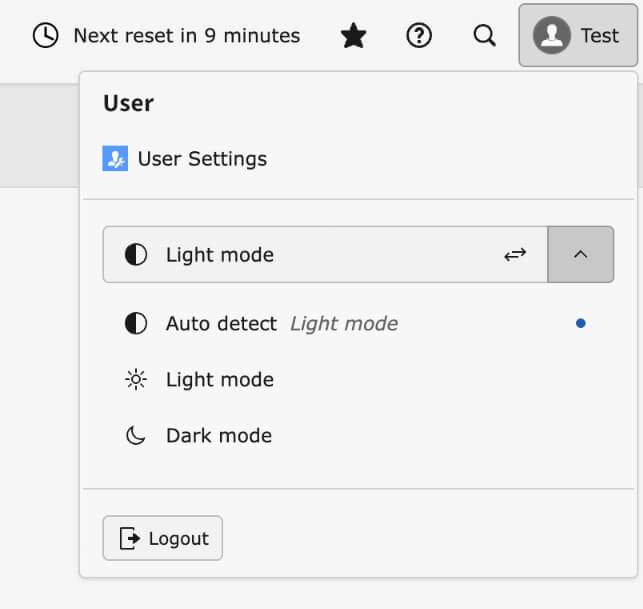
The new TYPO3 backend adapts to your working style. Thanks to light and dark mode, you can customize the interface and switch between them at any time.

If desired, TYPO3 can even automatically adopt the current system or environment brightness—for comfortable working that's easy on the eyes at all times.

Dashboard view of a TYPO3 demo site, displaying project details, content sections, and editing options for various elements.
User settings menu displaying options for light mode, dark mode, and auto-detect, along with a logout button.

Intuitive Drag & Drop—Moving Content Has Never Been Easier

The page tree has been completely redesigned in TYPO3 v13: faster, more stable, and above all, more intuitive. Labels and status information provide editorial teams with important information about pages (e.g., that changes are available in the workspace).

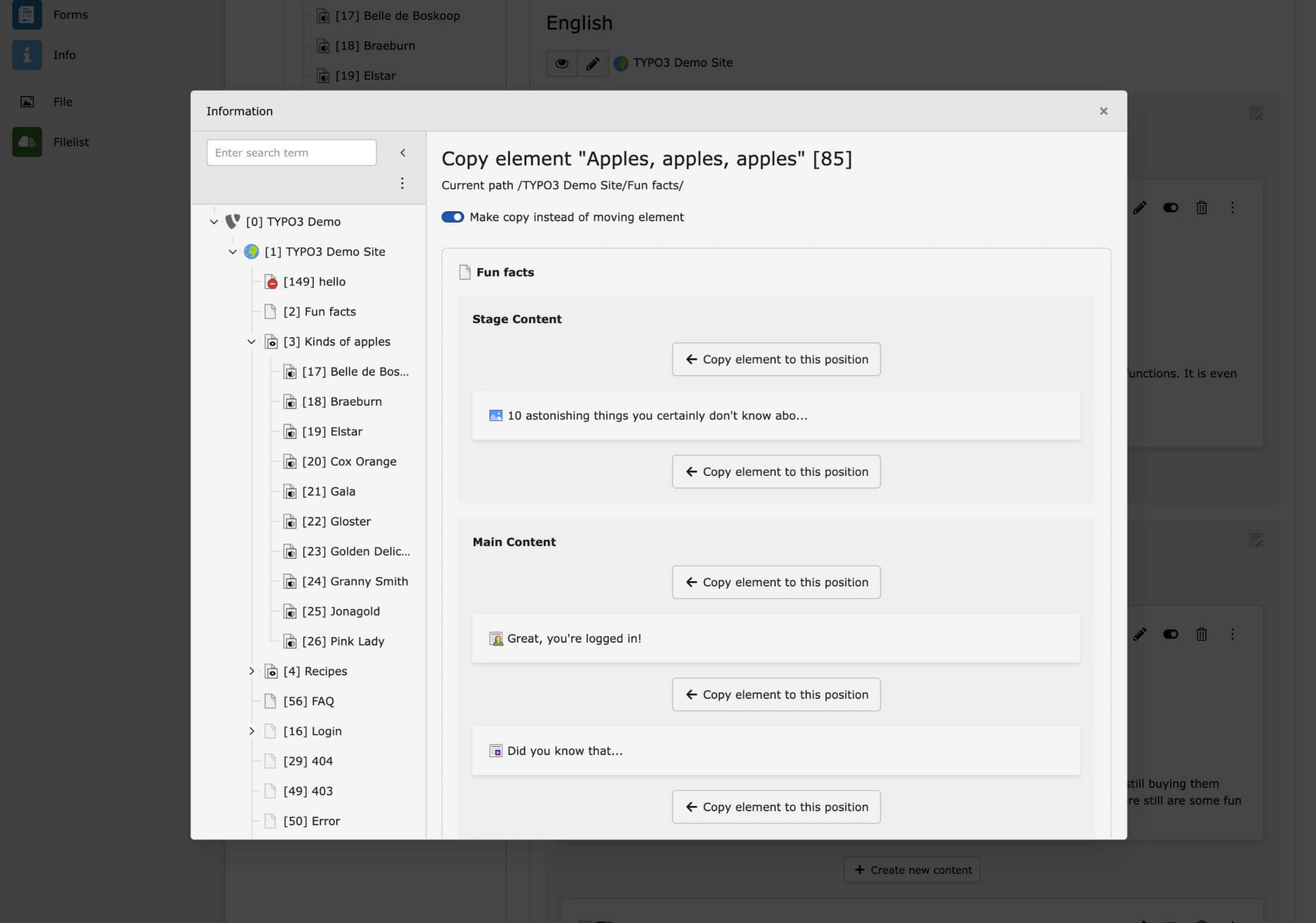
Want to move content elements? It's easy with drag & drop—even across pages. The old method of cutting and pasting via the clipboard is still possible, but it's just one of many ways to quickly achieve your goal.

Interface displaying a content management system with sections for "Fun Facts" and "Main Content," including options to copy elements.

Optimized File List—Efficiency at the Touch of a Button

Even in tile view, bulk editing is now more convenient than ever.

Editors decide for themselves which fields are visible or editable and process large amounts of data in no time—fewer clicks, more productivity.

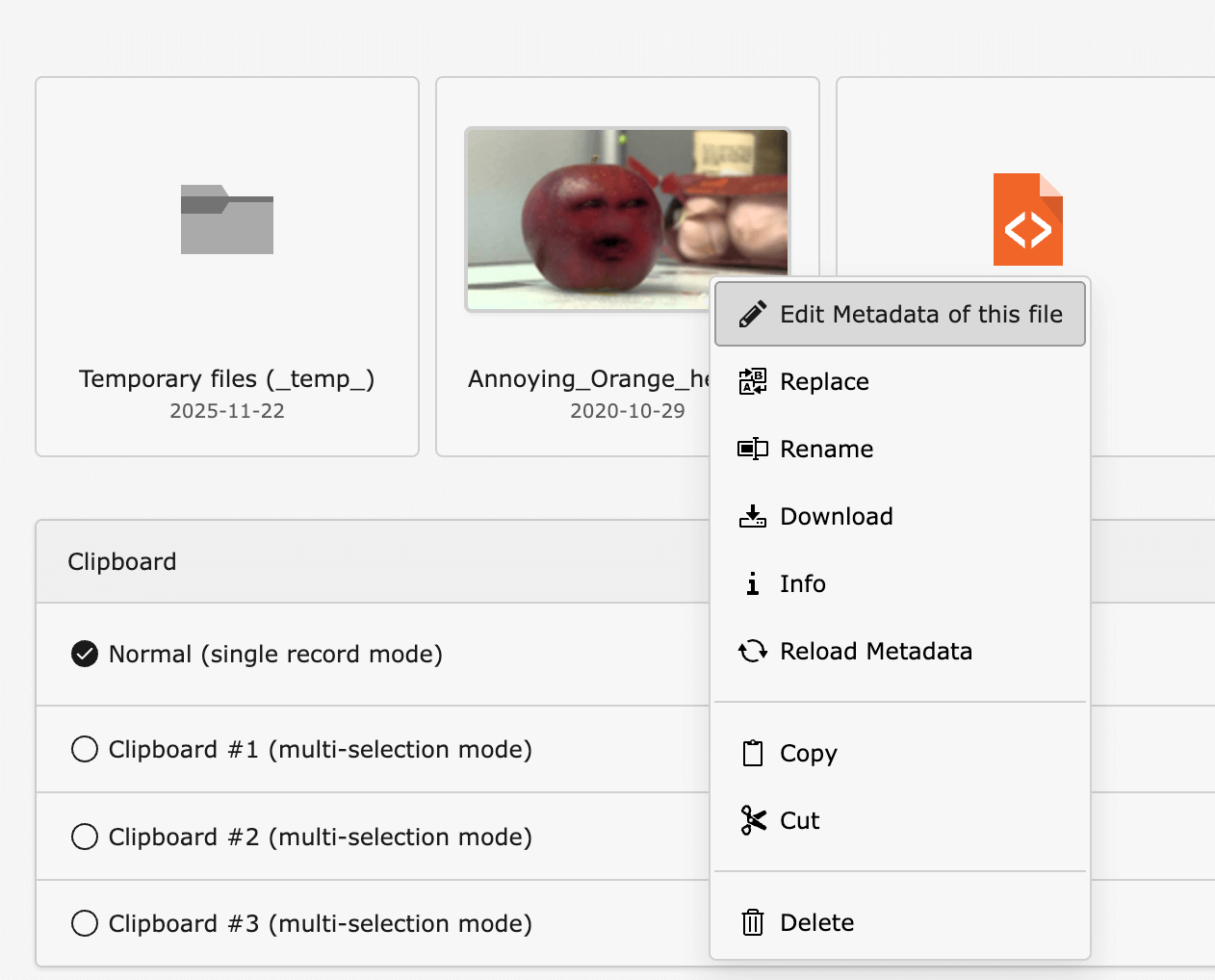
Has the preview image of a YouTube video been changed on the platform? No problem! With a quick click using “Reload Metadata” in the backend, the new poster image can be updated in no time without having to re-upload the video.

A red cartoonish orange character with a face is displayed among file icons and clipboard options in a digital interface.

Accessibility & Speed Thanks to New Hotkeys

TYPO3 v13 sets a clear example for accessibility and high efficiency.

With its new design, v13 is more modern, clearer, and more user-friendly than ever before. Stronger contrasts and optimized readability ensure that content immediately catches the eye, while the improved responsive layout means that the backend can now be used on all devices. The new page tree is not only more powerful, but also optimized for screen readers and keyboard use.

With new shortcuts, editors can navigate through the backend at lightning speed—a benefit for anyone who values ergonomic working or has special accessibility requirements.

Examples of new hotkeys:

  • Ctrl/Cmd + S – Save
  • Ctrl/Cmd + Shift + S – Save & Close
  • Ctrl/Cmd + K – Open backend search

Newly supported modern image formats such as WebP and AVIF are now also part of the TYPO3 core architecture, ensuring increased performance, future-proofing, and improved accessibility, as faster loading times help assistive technologies.

The best part: editorial teams upload their images as usual in JPG or PNG format, and TYPO3 generates WebP or optional AVIF formats—without any additional effort!

The New Backend Search—Finally Really Helpful

Many are familiar with this: the previous search function was rarely more than a stopgap solution.

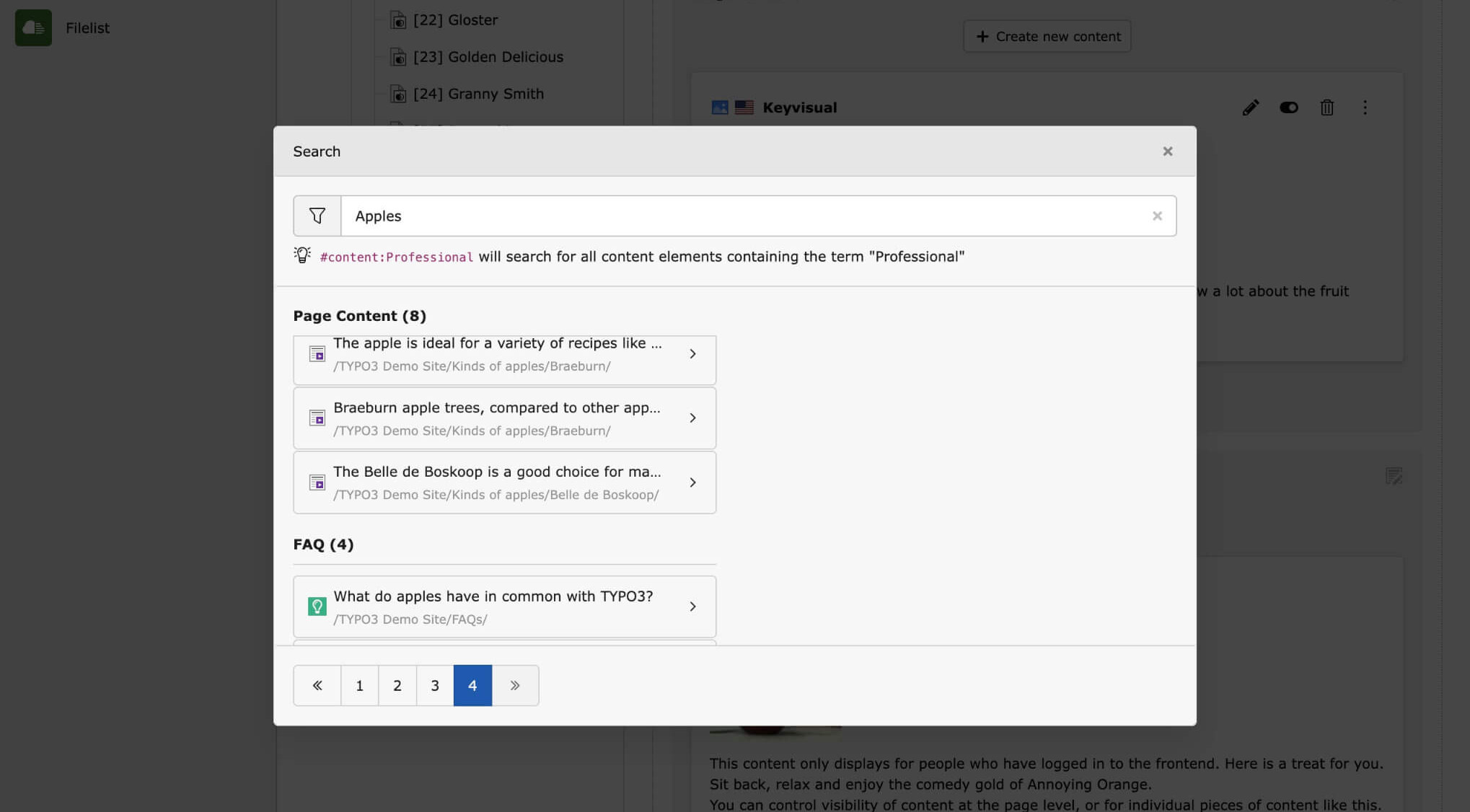
TYPO3 v13 puts an end to that! The search function has been completely redesigned. It is fast, precise, intuitive, and sensibly grouped by data type (pages, content elements, records, and more).

The search function in the page tree also offers new possibilities: for example, it is now possible to search multiple pages at the same time by separating the page IDs with commas.

This means that editors will always find what they need—without detours.

Search interface displaying results for "Apples," including page content and FAQs related to recipes and TYPO3.

Notifications in One Place—Neat and Clear!

Notifications that cover half the screen and have to be clicked away individually are a thing of the past!
The new notifications for all success and error messages—especially for bulk edits—are now clearly bundled in one place and can be marked as read with just one click.

International Backend—Ready for Global Teams

TYPO3 v13 is more international than ever before.

The backend now supports both left-to-right (LTR) and right-to-left (RTL) languages. Ideal for global organizations, international teams, and multilingual editorial processes.

Ready to update to v13?

Contact us to find out how we can assist you with your upgrade process.